



How to Get the Fastest Support from the TweetAttacksPro Team
If you encounter any issues while using TweetAttacksPro, providing complete information to our support team will help us identify and resolve your problem much faster.
Step 1: Describe the Issue Clearly
Please provide:
A brief text description of the issue
A screenshot showing the problem
Example
Issue Description:
"My Retweet task keeps using the same text content instead of rotating through different texts."
Screenshot:
(Attach a screenshot showing the task settings and results.)
The more specific your description is, the easier it is for our support team to understand the issue.
Step 2: Export and Send Your Logs
Logs help our technicians identify what happened behind the scenes.
How to Export Logs
Open TweetAttacksPro.
Click Export Logs.
Save the log files.
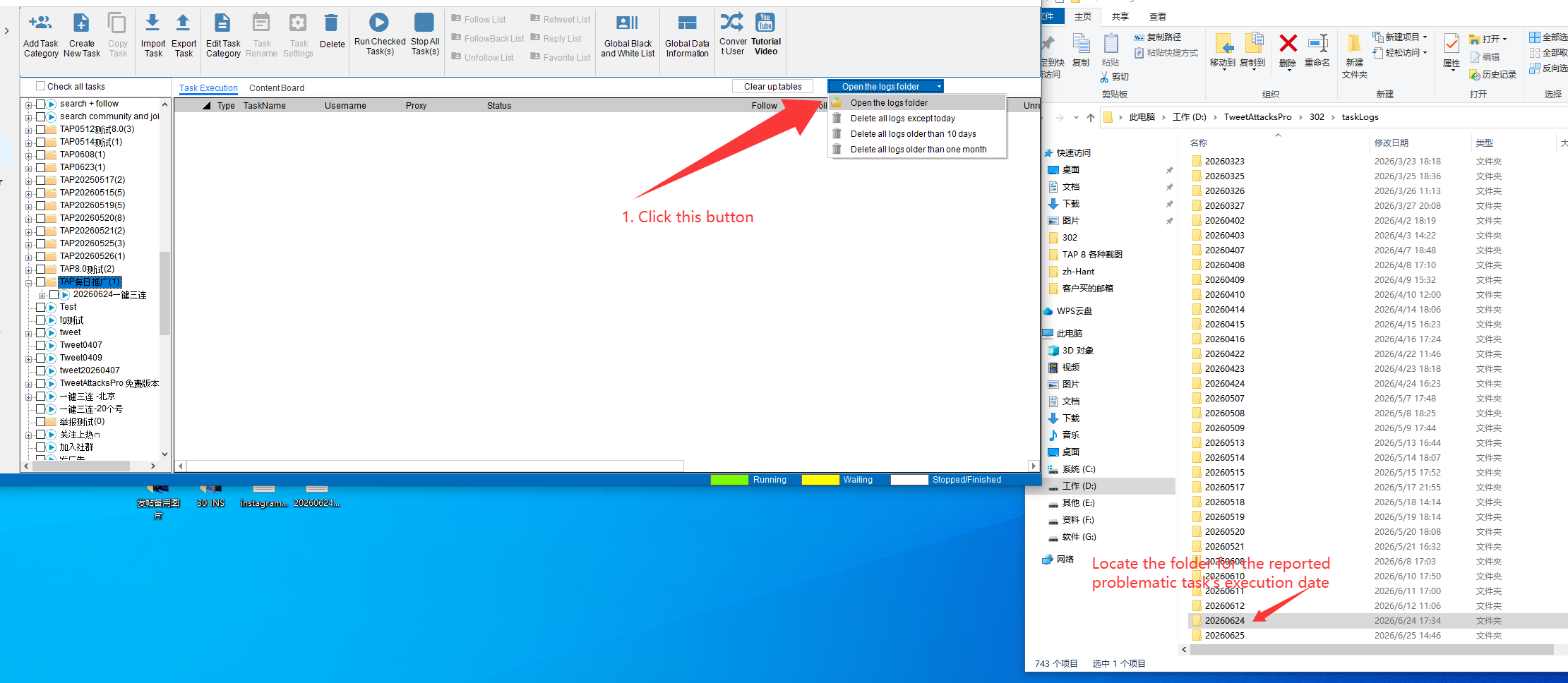
4. Compress the entire log folder into a ZIP file.
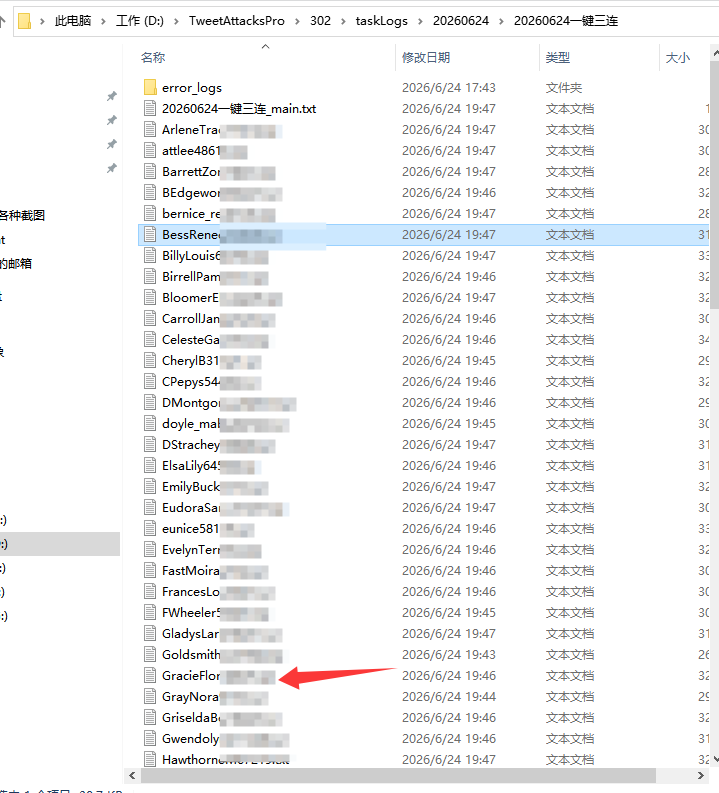
Note: If only one or several accounts' task execution has issues, just find the logs for that account(s) under the task log folder, and then send the log txt. file to us.
Step 3: Export and Send Your Task
In many cases, we need to review your exact task configuration.
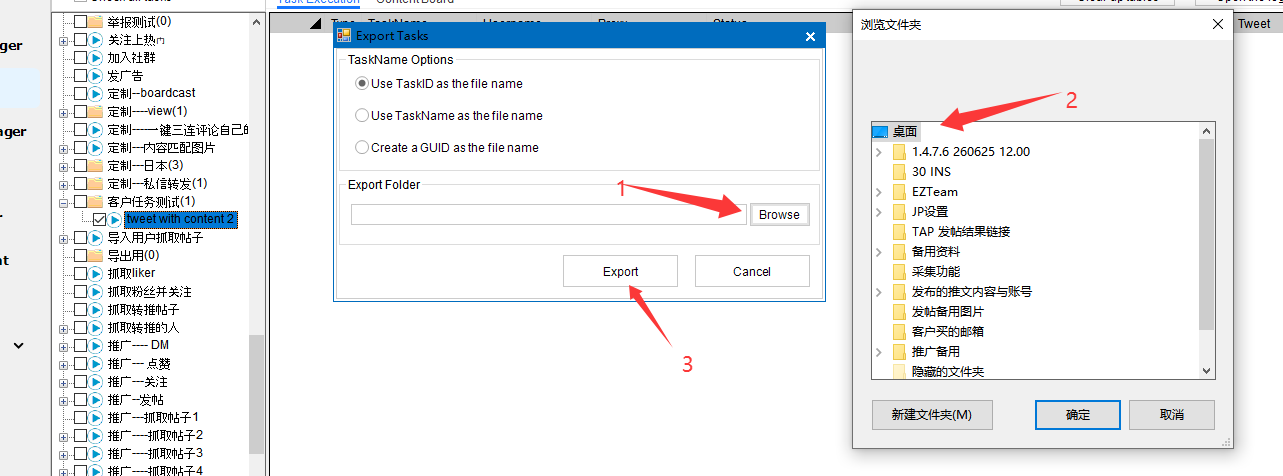
How to Export a Task
Open the task list.
Select the task experiencing the issue.
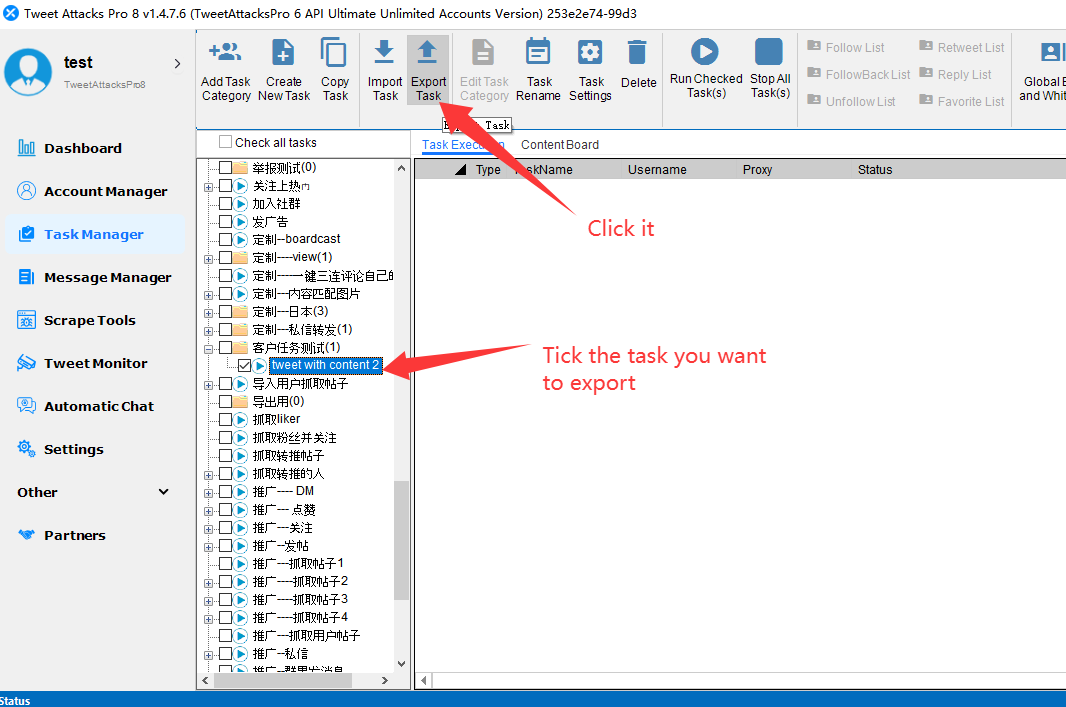
Click Export Task.
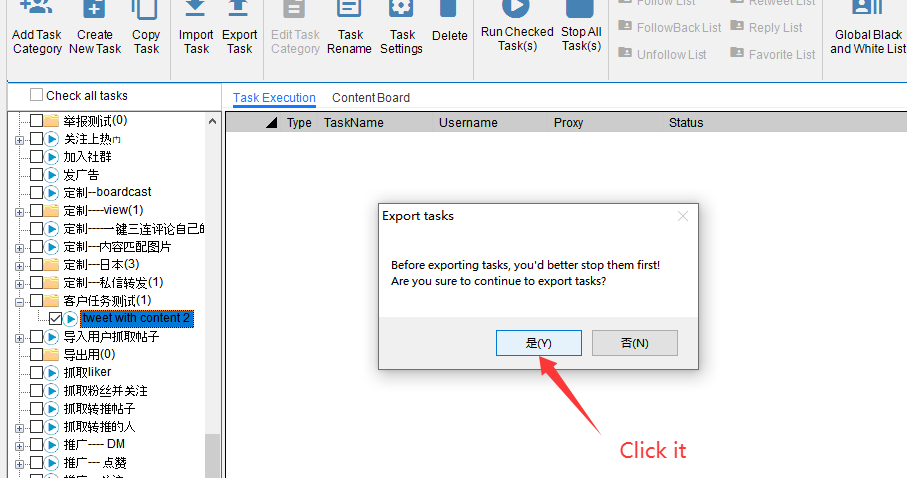
Save the exported task file.
What to Send to Support
To receive the fastest assistance, please send:
✅ Problem description
✅ Screenshot(s)
✅ Exported task file
✅ Compressed log folder (.zip) or log TXT. file.
Contact Our Support Team
WhatsApp: +8619302312554
Telegram: @aiostream
WeChat: +8619923834711
Support Ticket System:
https://support.tweetattackspro.com
Providing complete information from the beginning can significantly reduce troubleshooting time and help our team resolve your issue as quickly as possible.