



How to Permanently Delete Suspended Accounts in TweetAttacksPro
If you have a large number of suspended accounts in TweetAttacksPro, you can permanently remove them to free up computer memory and keep the software running more efficiently.
Step 1: Delete Suspended Accounts
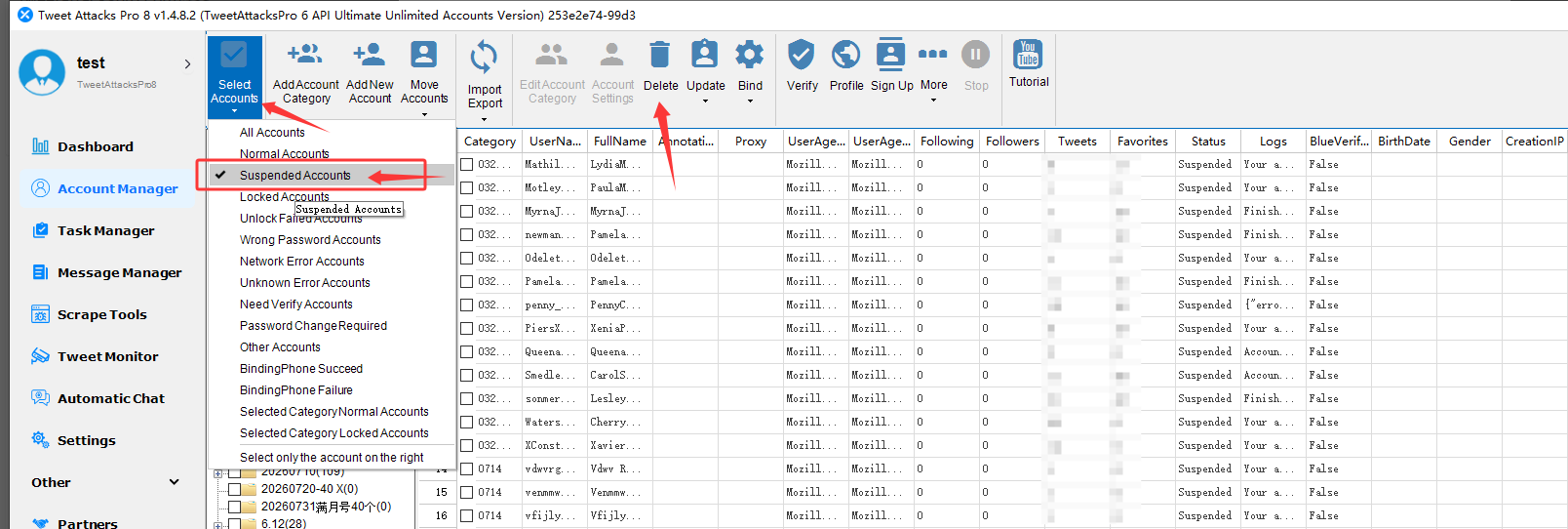
Go to Select Accounts.
Check Suspended Accounts.
Click Delete to remove the selected suspended accounts.
Screenshot:
Step 2: Clear Account Data
After deleting the suspended accounts:
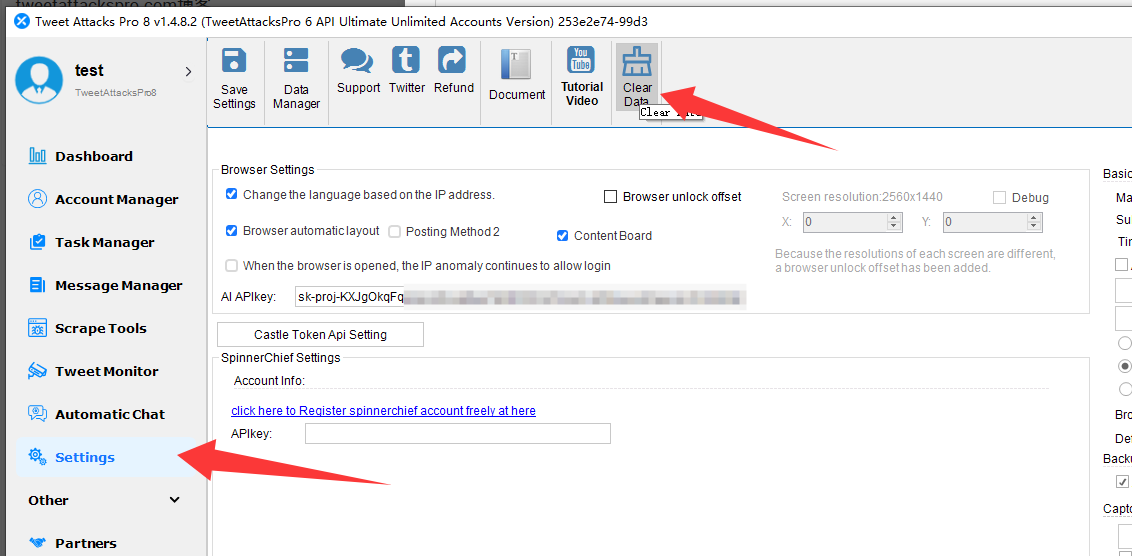
Go to Settings → Clear Data.
Use Clear Data to remove the remaining related data.
Screenshot:
Done
Once both steps are completed, the suspended accounts and their related data will be removed, helping free up computer memory and keep TweetAttacksPro running smoothly.