



Twitter Pinned Tweet Strategy: How to Use a Pinned Tweet to Grow Your Audience and Boost Engagement
When someone discovers your Twitter (X) profile, you only have a few seconds to make a strong first impression.
Your profile picture, bio, banner image, and most importantly, your pinned tweet all influence whether a visitor decides to follow you or leave.
Many users treat pinned tweets as a simple feature for keeping important posts visible. However, experienced marketers understand that a pinned tweet is much more than that. It is a powerful profile asset that can introduce your brand, showcase your best content, and guide visitors toward taking action.
A carefully planned Twitter pinned tweet can become one of the most valuable parts of your Twitter marketing strategy.
In this guide, we will explain why pinned tweets matter, how to pin a tweet on Twitter, how to create high-performing pinned content, and how businesses and creators can use pinned tweets to improve account growth.
What Is a Twitter Pinned Tweet?
A pinned tweet is a tweet that stays permanently at the top of your Twitter/X profile until you decide to replace it.
Normally, your newest tweets appear first when someone visits your profile. However, a pinned tweet allows you to choose which message represents your account.
Think of it as your profile’s introduction page.
Instead of allowing visitors to randomly browse your timeline, you can immediately show them:
- Your best-performing content
- Your latest product announcement
- Your personal introduction
- Your most valuable resource
- A special offer or campaign
For marketers, this creates an opportunity to control the first impression and direct visitors toward specific goals.
Why Is a Pinned Tweet Important for Twitter Growth?
Many accounts focus only on publishing more tweets but ignore profile optimization.
This is a missed opportunity.
A visitor who discovers your account through search, recommendation, or another user's retweet will usually check your profile before following you.
A strong pinned tweet helps answer important questions:
- Who are you?
- What value do you provide?
- Why should someone follow you?
- What action should they take next?
This is why many successful creators and companies use a best pinned tweet strategy for Twitter growth instead of randomly pinning any post.
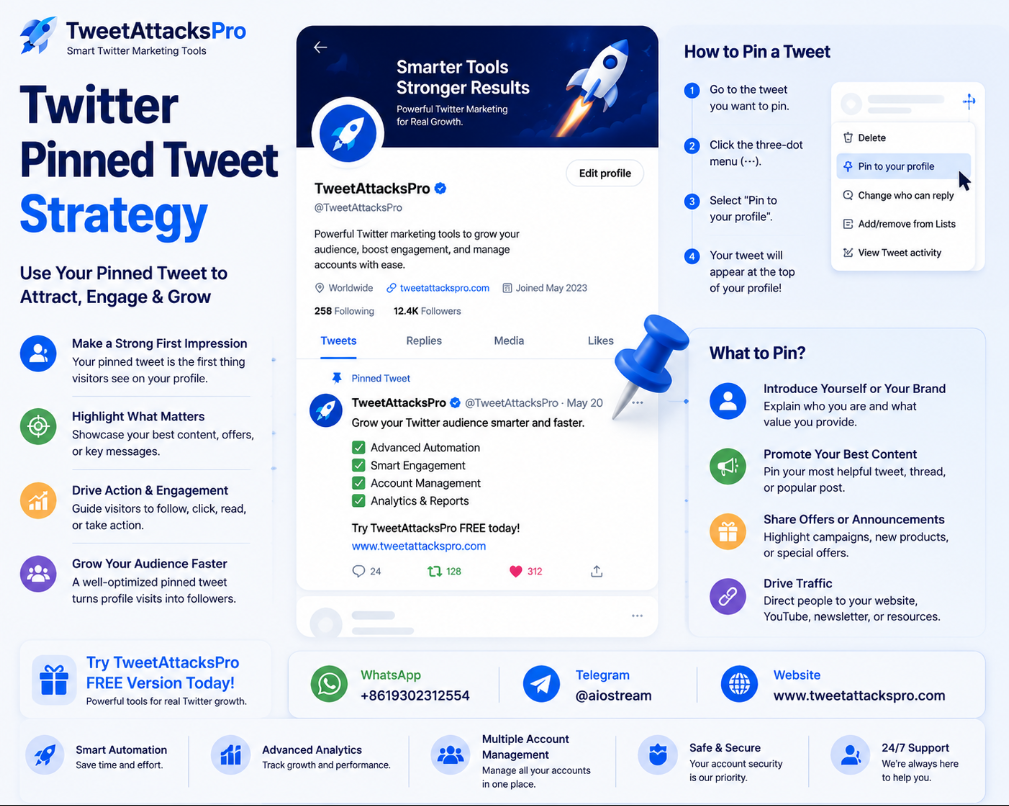
How to Pin a Tweet on Twitter
If you are new to Twitter/X, the process is simple.
Follow these steps:
- Open the tweet you want to feature.
- Click the three-dot menu in the top-right corner.
- Select “Pin to your profile.”
- Confirm the action.
Your selected tweet will now appear at the top of your profile.
Knowing how to pin a tweet on Twitter is easy. The more important question is choosing the right tweet.
A poorly selected pinned tweet can waste valuable profile traffic.
How to Create an Effective Pinned Tweet
Creating a pinned tweet requires more strategy than simply selecting your most recent post.
Here are several approaches that work well.
1. Introduce Your Brand or Account Purpose
For personal brands and businesses, your pinned tweet should quickly explain your value.
Example:
“Helping independent creators grow their audience with practical Twitter marketing strategies.”
This type of content immediately tells visitors what they can expect.
2. Highlight Your Best Performing Content
Your pinned tweet does not always need to be promotional.
Sometimes your most valuable educational content creates the strongest impression.
Examples:
- A viral thread
- A useful tutorial
- An industry analysis
- A case study
High-value content encourages visitors to explore more of your profile.
3. Promote Products, Services, or Campaigns
Businesses can use pinned tweets to promote:
- New products
- Free trials
- Special offers
- Webinars
- Newsletter subscriptions
For example, SaaS companies often pin tweets explaining their product benefits and inviting users to try their service.
This turns profile visitors into potential customers.
Twitter Pinned Tweet Ideas for Marketing
Finding the right content can be challenging. Here are some effective Twitter pinned tweet ideas for marketing:
Product introduction
Explain what your product does and who it helps.
Customer success story
Show real results, feedback, or user experiences.
Educational thread
Share your best knowledge about your industry.
Free resource
Offer an ebook, checklist, guide, or useful tool.
Personal introduction
Tell your audience your story and mission.
The best choice depends on your account goals.
How to Optimize Your Pinned Tweet for More Engagement
A pinned tweet should not only look professional. It should encourage action.
Consider these optimization tips:
Use a Strong Opening Sentence
The first line determines whether users continue reading.
Avoid generic introductions.
Instead of:
“Welcome to my Twitter account.”
Try:
“After testing hundreds of Twitter growth strategies, here are the methods that actually work.”
Include Visual Content
Tweets with images, videos, or graphics often attract more attention.
Visual elements help visitors understand your message faster.
Add a Clear Call-to-Action
Tell users what to do next.
Examples:
- Follow for daily tips
- Download the free guide
- Try the free version
- Visit the website
A clear CTA improves conversion.
How Pinned Tweets Help Increase Followers
A pinned tweet alone will not magically create followers. However, it improves the conversion rate of your profile visitors.
For example:
Without a pinned tweet:
- Visitor checks profile
- Cannot understand your value
- Leaves
With an optimized pinned tweet:
- Visitor understands your purpose
- Finds valuable content
- Decides to follow
This is why marketers focus on using pinned tweets to increase Twitter followers with pinned tweets.
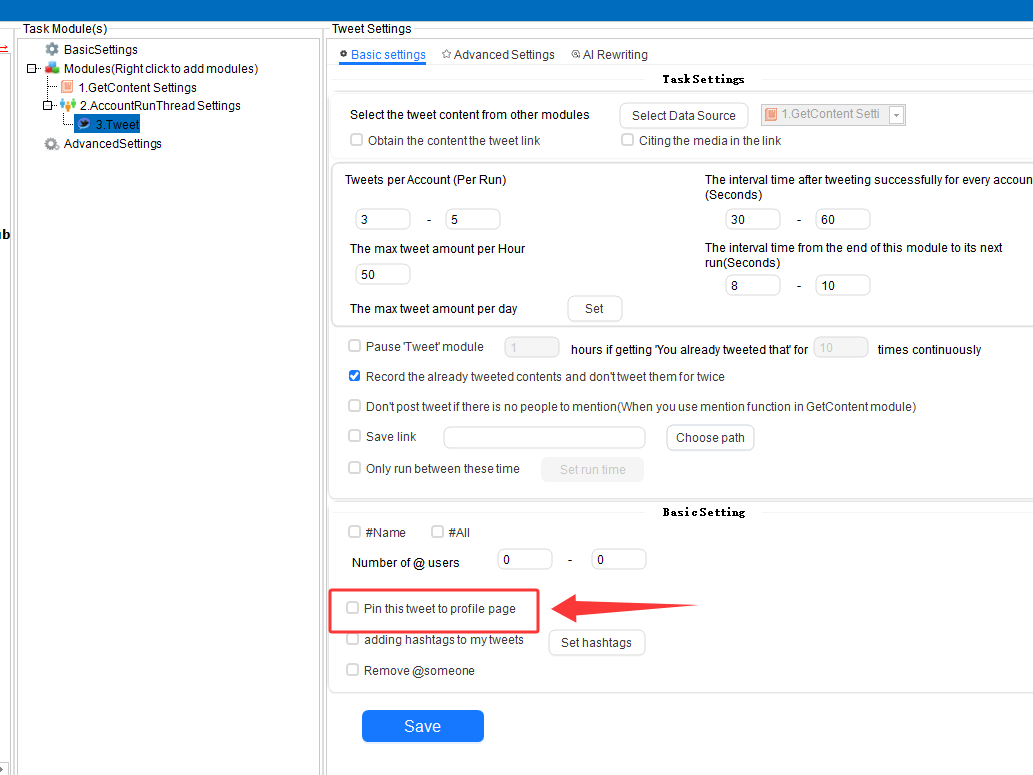
Combine Pinned Tweets With a Complete Twitter Growth Strategy
A pinned tweet works best when combined with other marketing activities:
- Consistent posting
- Audience engagement
- Reply strategy
- Content planning
- Performance analysis
You should regularly review your pinned tweet performance and update it when your goals change.
For example:
A startup may pin a product launch tweet today but replace it later with a customer success story.
Keeping your profile fresh helps you continuously optimize Twitter profile for growth.
A pinned tweet is one of the simplest but most powerful Twitter/X marketing features.
When used correctly, it can help you introduce your brand, showcase your best content, attract followers, and guide visitors toward taking action.
The key is not simply pinning a tweet. The key is creating a strategic message that represents your account and supports your growth goals.
If you want to manage your Twitter accounts more efficiently, schedule content, and improve your overall Twitter marketing workflow, try TweetAttacksPro Free Version.
Start for free today and explore smarter ways to grow and manage your Twitter presence.