

Why Your X (Twitter) Account Shows “This Account Doesn’t Exist” or Internal Error
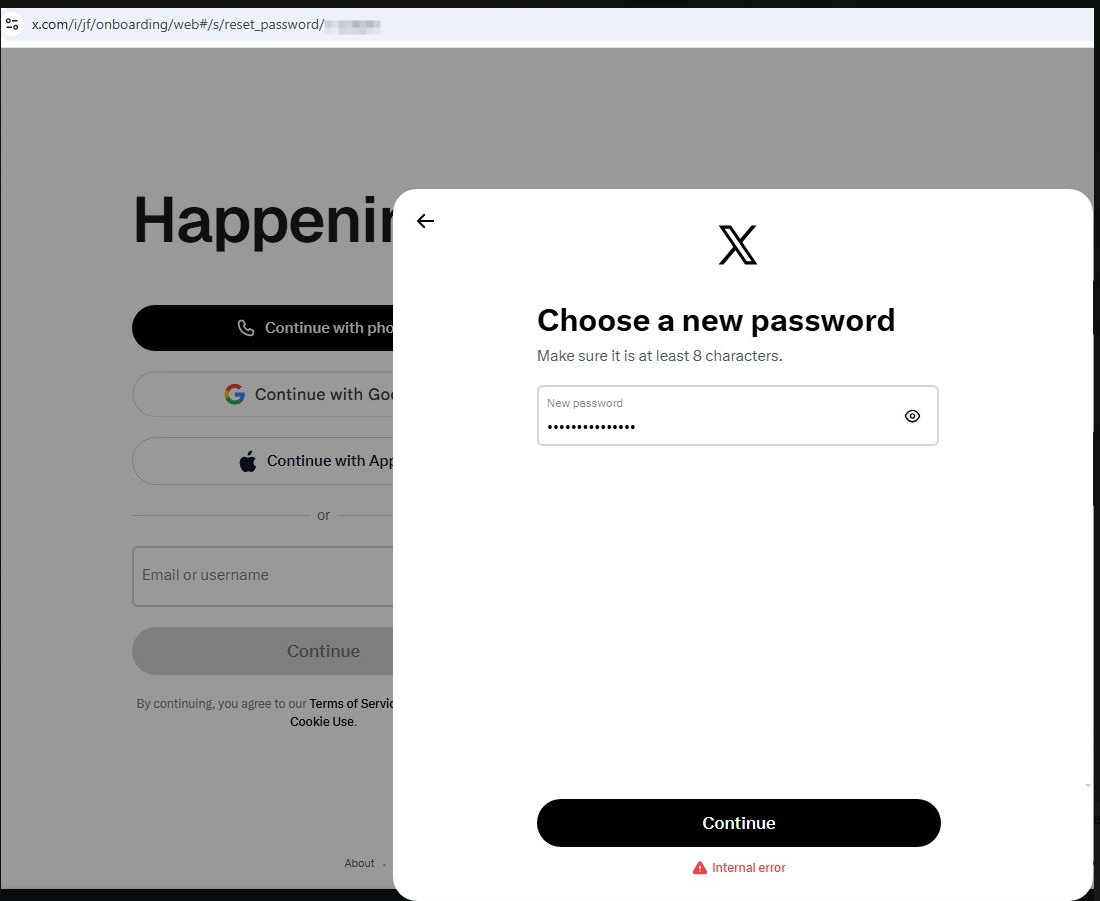
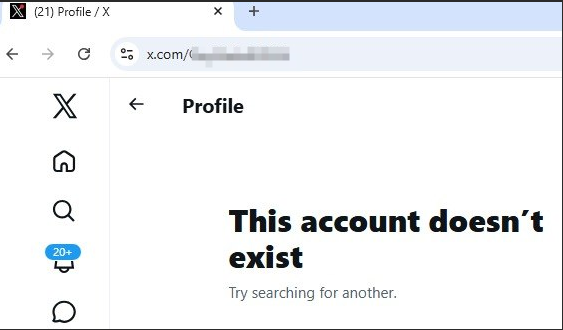
Many users panic when they suddenly see the message “This account doesn’t exist” on X (formerly Twitter), especially when the account previously had followers, posts, and activity. Even worse, some users report that when they try to reset their password, the system returns an “internal error”, making recovery impossible.
In most cases, this is not a normal login bug. It is usually tied to backend account status changes within X’s system.
The most common causes of this issue include:
- Temporary account suspension or restriction
- Security risk detection (suspicious login activity)
- Automated spam or bot-like behavior flags
- Server-side account visibility limitation
- Rate-limited password reset attempts
When these conditions are triggered, users often experience what is known as the X account doesn’t exist error, even though the account still technically exists in the backend.
Cause 1: Hidden Suspension or Soft Lock
One of the most common reasons behind the X account doesn’t exist error is a soft suspension.
In a soft suspension, the account is not fully deleted, but:
- It becomes invisible to the public
- Login attempts may fail intermittently
- Password reset can trigger internal errors
This is why users sometimes see conflicting messages like “account doesn’t exist” and still receive password reset prompts.
This condition is also tightly linked with the Twitter account login issue that many users report after unusual activity, such as logging in from multiple locations or using automation tools.
Cause 2: Internal System Security Flag
Another major reason is a backend security flag.
X uses automated systems to detect unusual behavior. If triggered, the account may enter a restricted state where:
- Login requests are partially blocked
- Password reset endpoints fail
- API returns internal error password reset messages
This is not something users can fix manually, which is why even switching browsers or devices does not help.
At this stage, users are essentially dealing with a Twitter account recovery failed scenario caused by server-side restrictions.
Cause 3: Rate Limiting and Temporary Lock
If you repeatedly attempt to reset your password, X may temporarily lock recovery functions.
This results in:
- Internal server errors
- Failed password reset links
- Delayed system responses
This is often temporary (24–48 hours), but many users keep retrying, which makes the lock worse.
This is a classic case of X internal error password reset caused by over-activity on recovery endpoints.
How to Fix “This Account Doesn’t Exist” Error on X
Now let’s go through the practical solutions based on real-world recovery experience.
Step 1: Stop All Login Attempts Temporarily
The first and most important step is to stop trying repeatedly.
- Wait 12–24 hours
- Avoid multiple password reset attempts
- Let system flags expire
This alone fixes many cases of X account doesn’t exist error caused by temporary blocks.
Step 2: Change Network Environment
Even though the issue is usually server-side, network switching sometimes helps:
- Try mobile data instead of WiFi
- Try a different IP location
- Avoid VPN or proxy usage
This helps if the issue is partially triggered by suspicious login detection.
Step 3: Use Official Recovery Form
The most reliable solution is submitting an appeal:
https://help.x.com/en/forms/account-access
When submitting, clearly state:
- You cannot log in
- Password reset returns internal error
- Account shows inconsistent availability
This step is critical for Twitter account recovery failed cases.
Step 4: Submit a Strong Appeal (Escalation)
If no response is received, resubmit a structured escalation request. Mention:
- High follower account
- Business or active usage impact
- Internal error during password reset
- Account visibility inconsistency
This increases the chance of manual review and helps with suspended X account fix cases.
Step 5: Wait for Backend Review
If your account is flagged at system level, only X support can restore access.
Typical timelines:
- 24–72 hours for simple locks
- Several days to weeks for deeper reviews
This is especially common in X account appeal guide scenarios where automated systems cannot resolve the issue.
When users encounter “This account doesn’t exist” + internal error during password reset, it almost always indicates a backend restriction rather than a device issue.
Even if multiple browsers, devices, and networks fail, the root cause is usually:
- Account safety lock
- Suspension or visibility restriction
- System-level security flag
Understanding this helps avoid unnecessary troubleshooting and focuses efforts on proper recovery channels.
The key takeaway is simple:
If login and password reset both fail with inconsistent errors, the issue is not local — it is a server-side account status problem that requires X support intervention.